Google Business Messages is a dynamic mobile conversational channel that integrates entry points across Google Maps, Google Search, and brand websites. This integration is designed to craft engaging messaging experiences, bringing joy to customers while delivering tangible business outcomes.
Getting Started
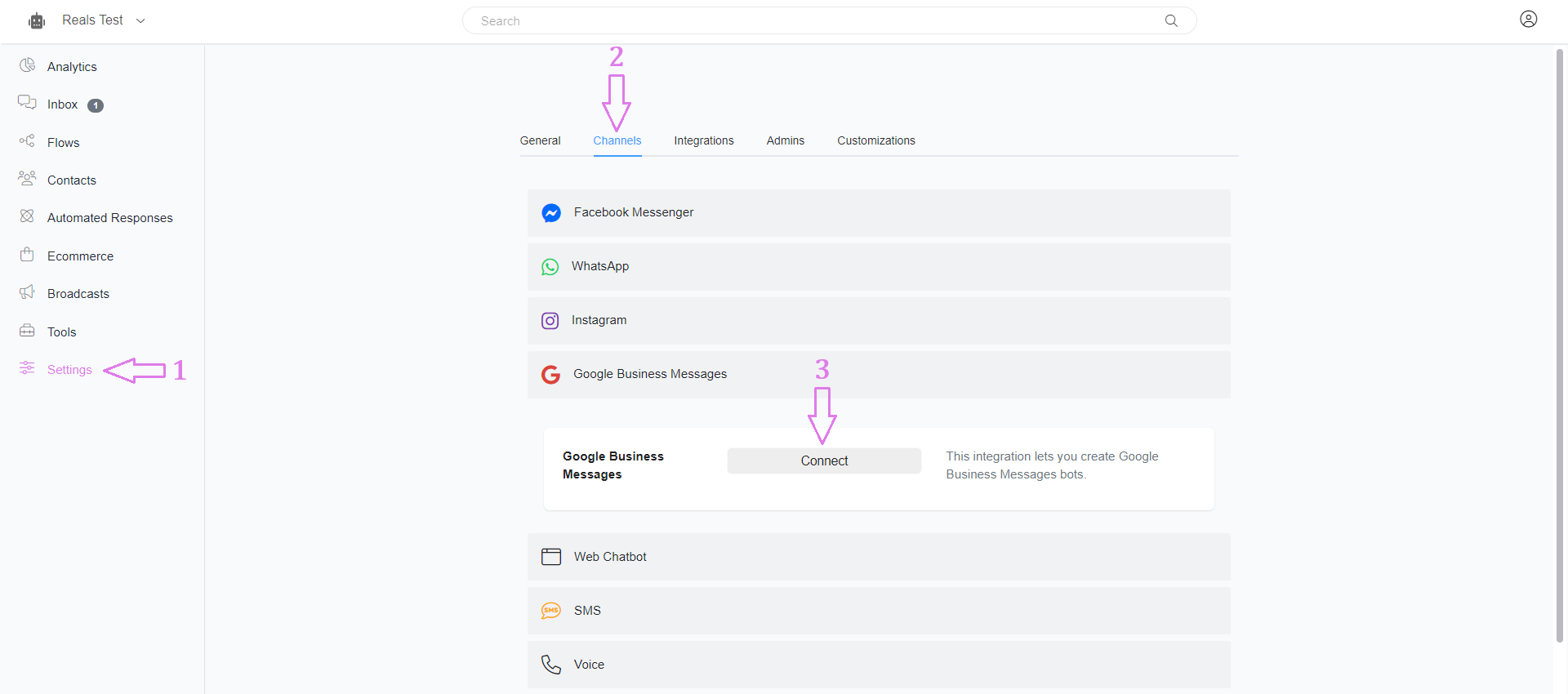
Navigate to Settings > Channels > Google Business Message and click Connect to start working with Google Business Message.
Testing
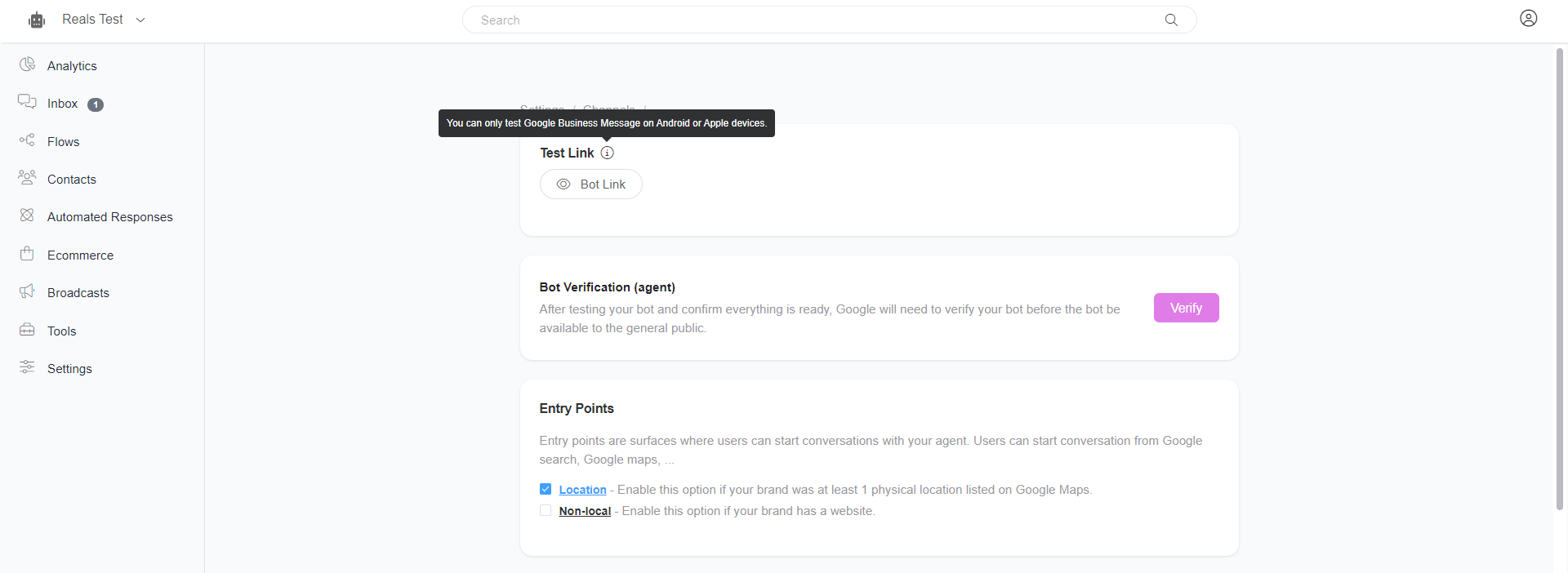
Google Business Messages is exclusively available for Android and Apple devices. Obtain the test link that corresponds to your specific device to explore its functionalities.
Entry points
Entry points serve as starting locations for users to initiate conversations with Business Messages agents, each characterized by a unique appearance and placement. To enable your agent to function across various entry points, it needs to undergo verification and be officially launched. Agents can be launched with different entry point groups, including Non-local, Location, and Brand-managed, each supporting multiple entry points. Expanding your agent's presence across various entry points enhances visibility and encourages more user interactions.
Location Entry points
The Location entry point group encompasses entry points that rely on locations.
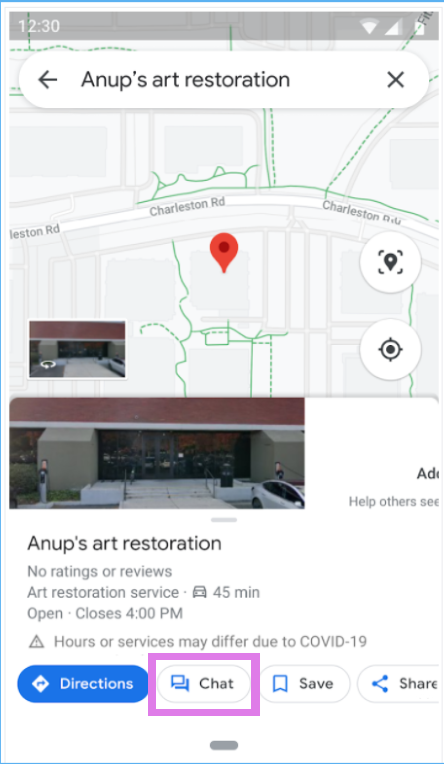
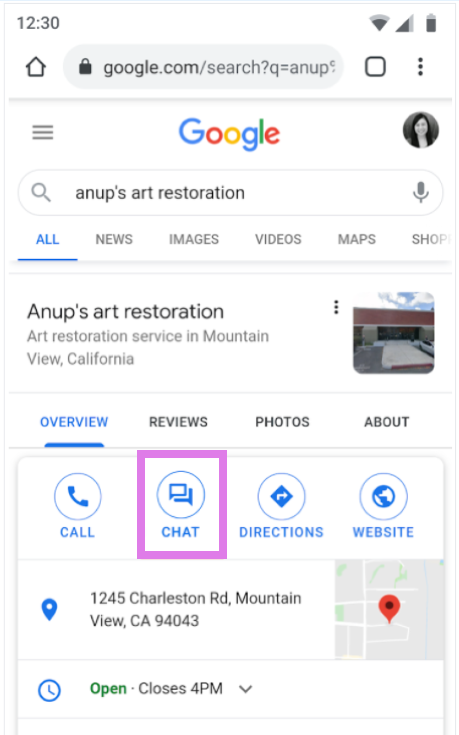
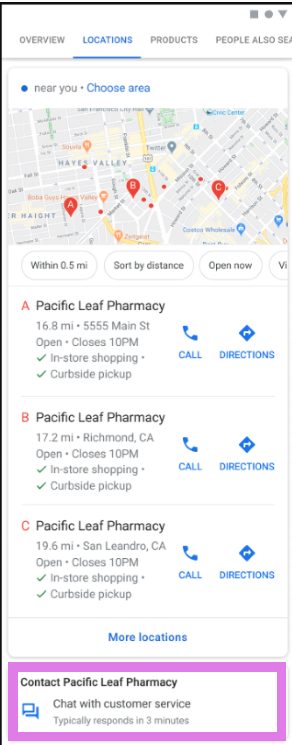
To enable users to message your agent through entry points like Google Maps, Placesheet, or Local Pack, it's essential to add at least one location. This ensures that your clients can easily initiate conversations with your agent through these specific entry points.

Non-local entry points
The Non-local entry point group includes all entry points that are not dependent on specific locations. This group covers various entry points that offer versatile ways for users to initiate conversations with your agent.
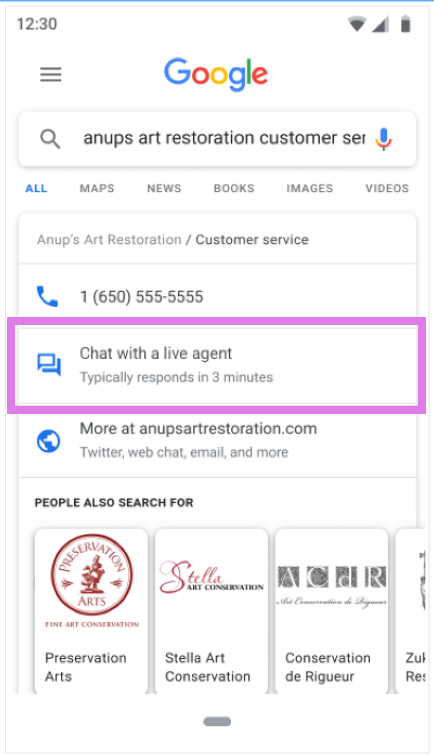
Featured snippets – This entry point facilitates conversations with your agent when a user discovers contact details through a Search.
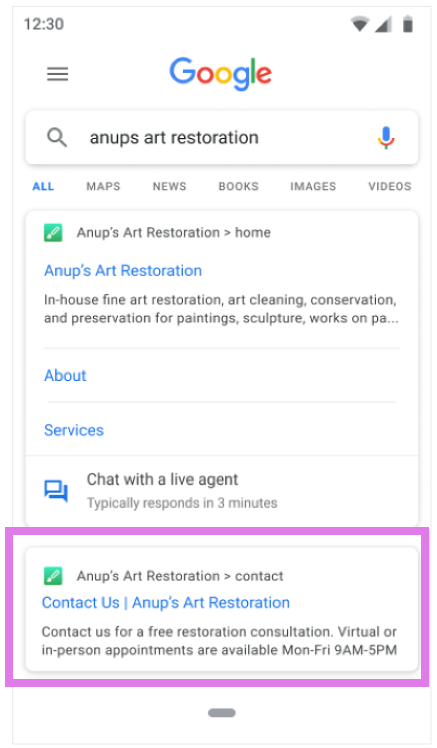
Sitelinks – This entry point facilitates conversations with your agent when site links appear in Search.
To enable Non-local entry points, you must provide your phone number and website domain.
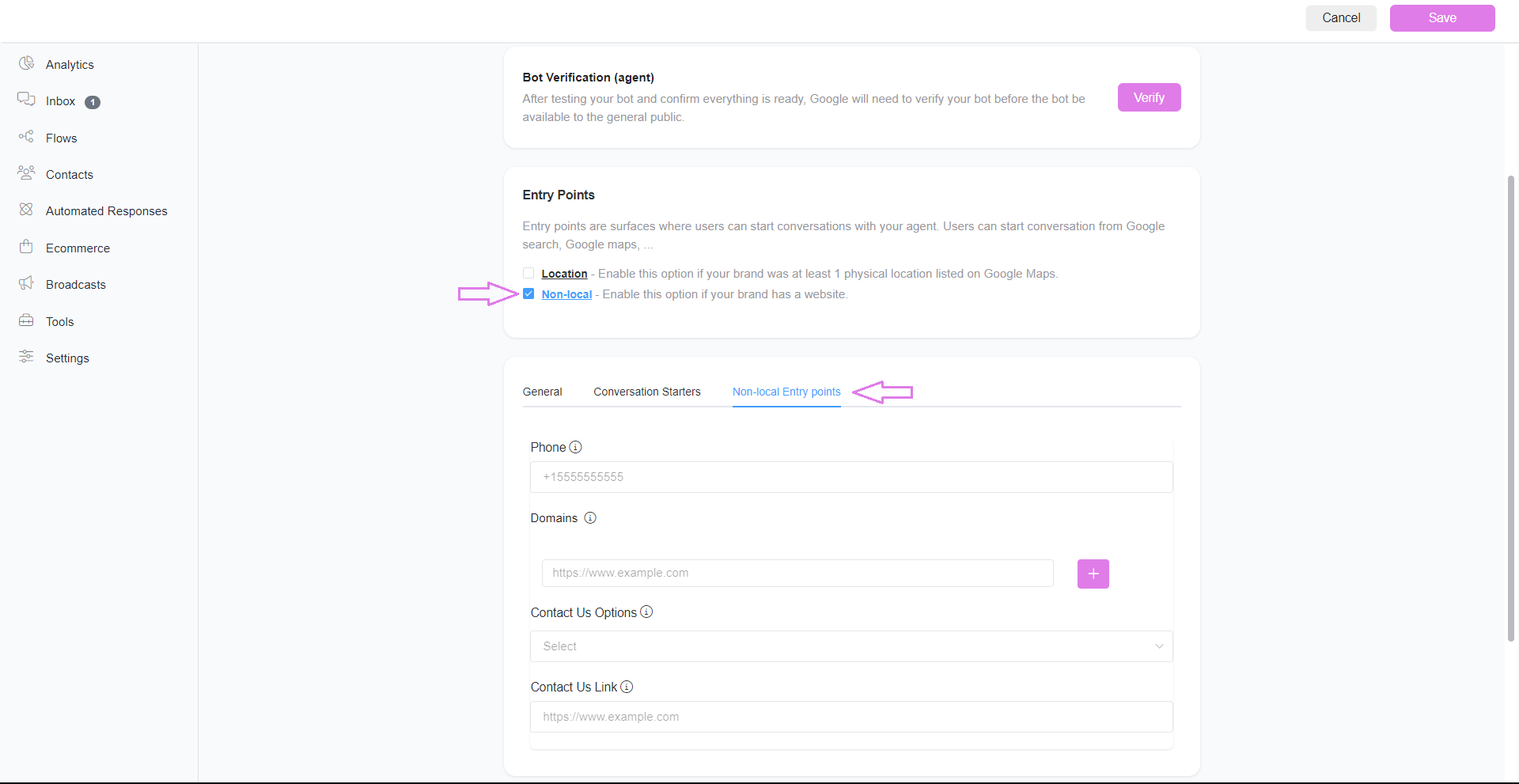
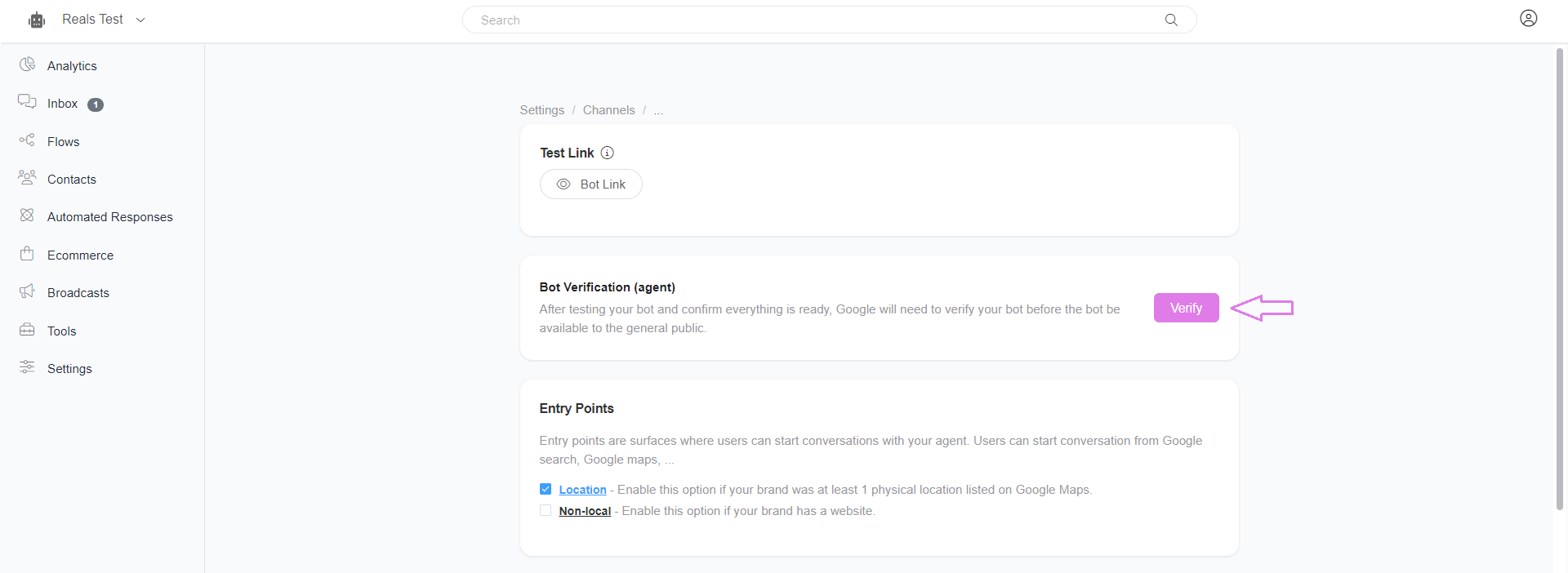
Verify the Agent
After testing your bot and confirming that everything is ready, Google will need to verify your bot before it becomes available to the general public.
Was this article helpful?
That’s Great!
Thank you for your feedback
Sorry! We couldn't be helpful
Thank you for your feedback
Feedback sent
We appreciate your effort and will try to fix the article