What is JSON?
JSON Tool allows you to send an Opt-in message to every user who clicks on your ad. JSON is a code that directly connects the ad to Flow in the bot!
You can learn more about JSON at the Facebook Help Center here.
Rules
Meta has some rules you must follow in order to use JSON code in your Click to Message Ads. Some you should consider while building your flow are:
- Do not use any identifier such as {{First Name}}
- You can only send ONE message, this could be Picture + Text Block but not 2 linked messages or text blocks.
- Do not use "Get User Data" as part of your message. Instead, use a Text Block + Buttons or Quick Replies.
- Keep it short. JSON has a limit of about 300-character limit. Consider this message as your Opt-in message, once the user clicks on it, your bot can take over with all the functions you are used to.
Where do I find MY JSON Code?
Each Flow has its unique JSON Code, to get your code please follow these instructions:
Step 1: Select Flows on the left sidebar of the platform.
Step 2: Open the flow you want to generate a JSON code from.
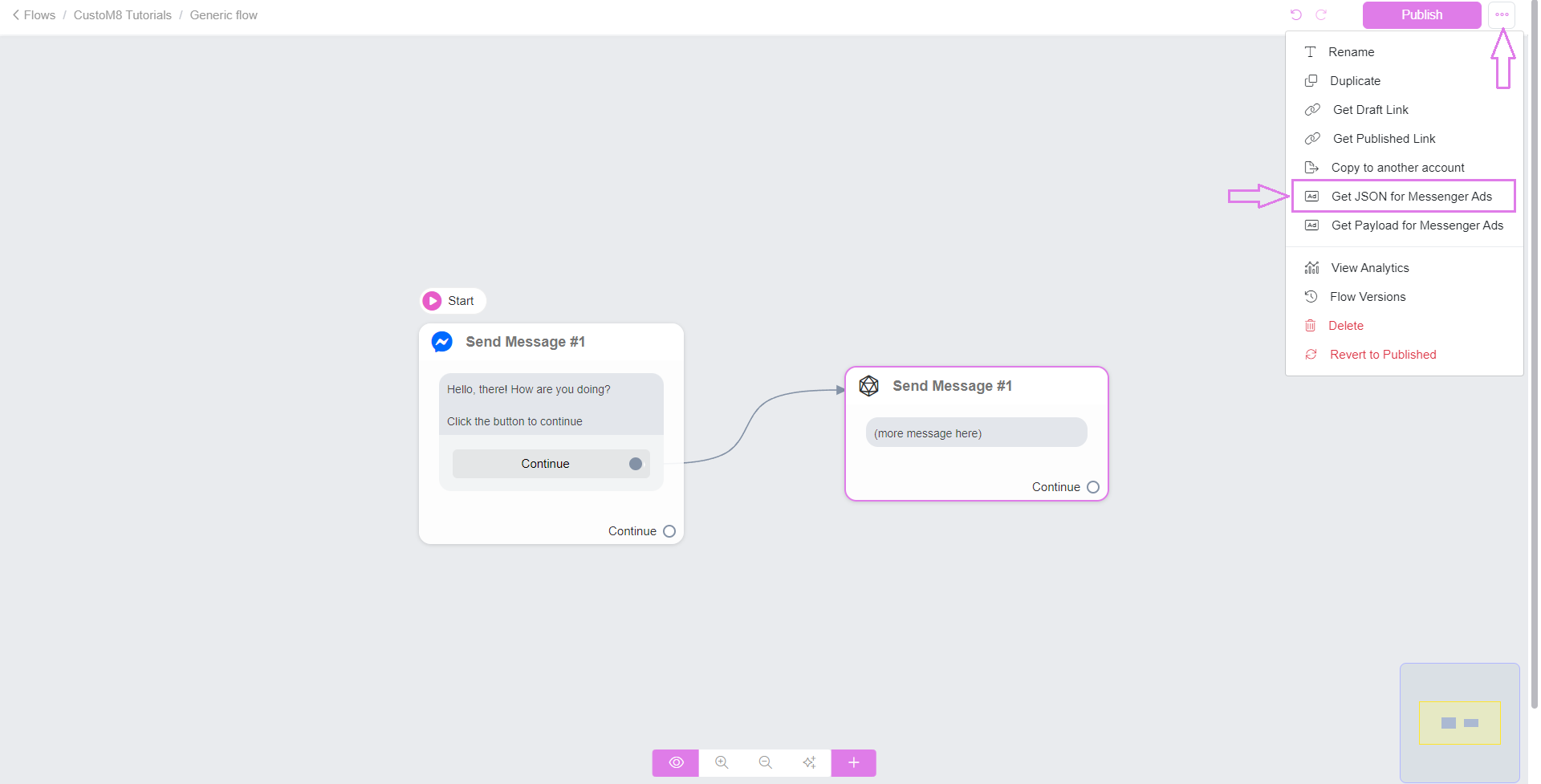
Step 3: Click on the three-dot button in the upper right corner of the flow builder.
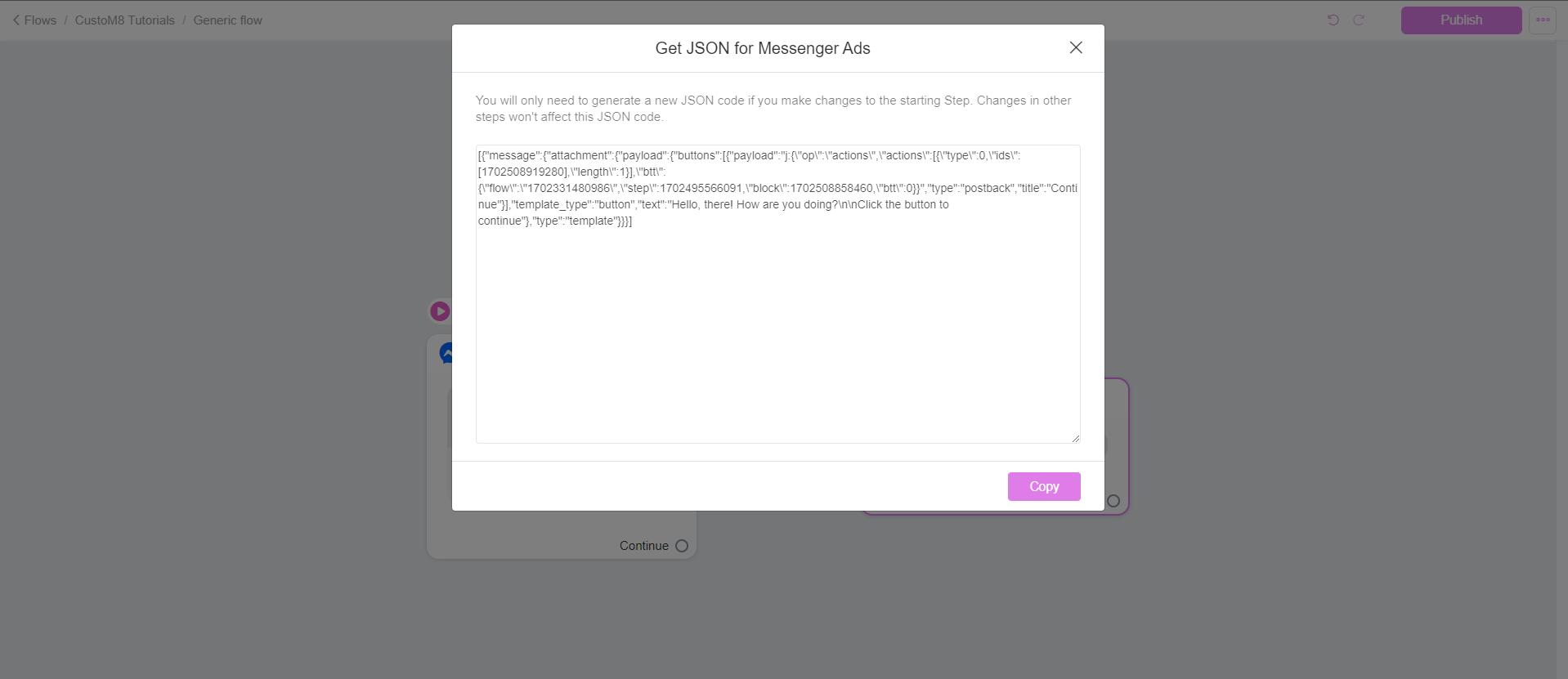
Step 4: Click Get JSON for Messenger Ads and let the bot handle the rest (if you had created a flow to handle the sales)
Where do paste the JSON Code?
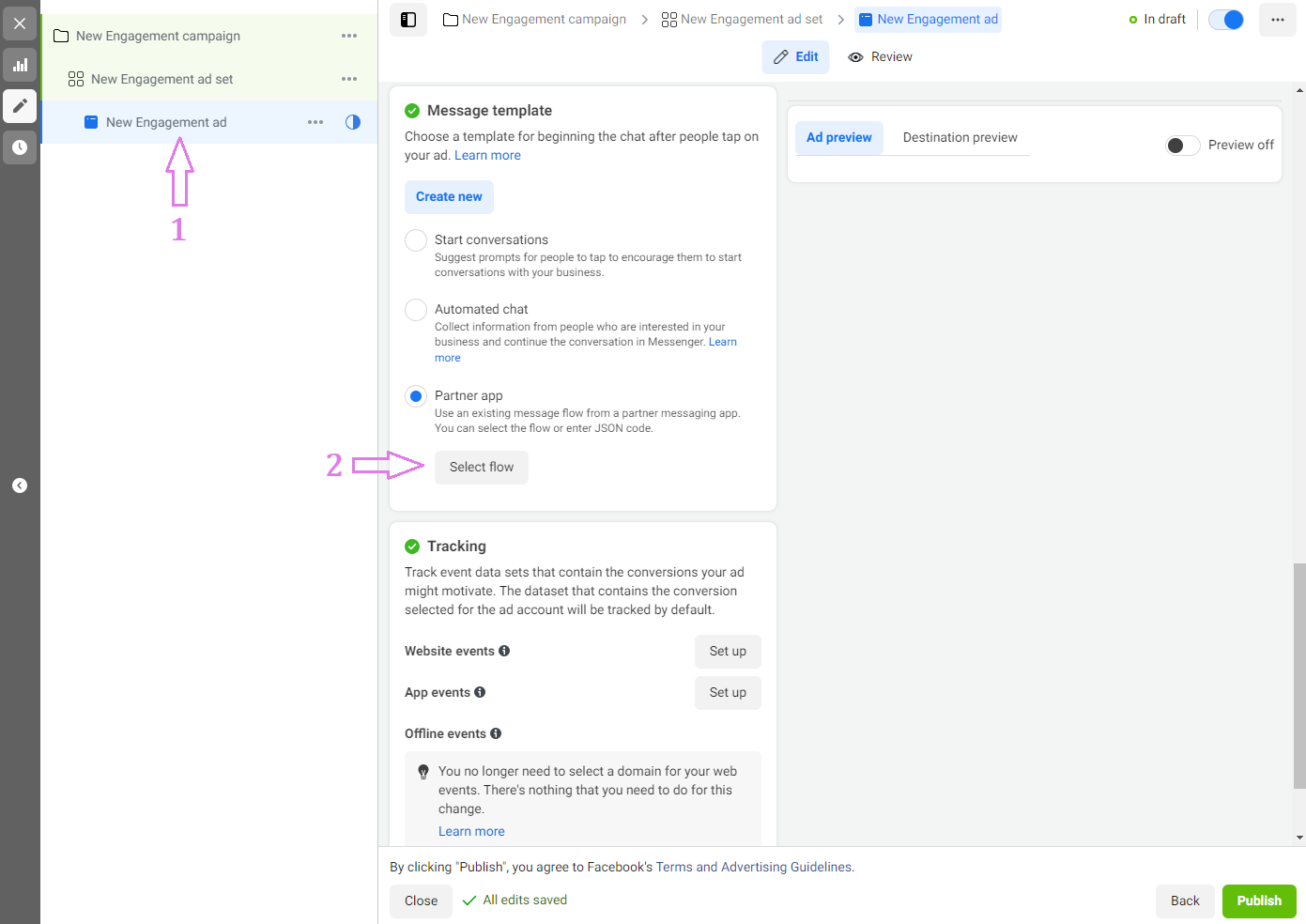
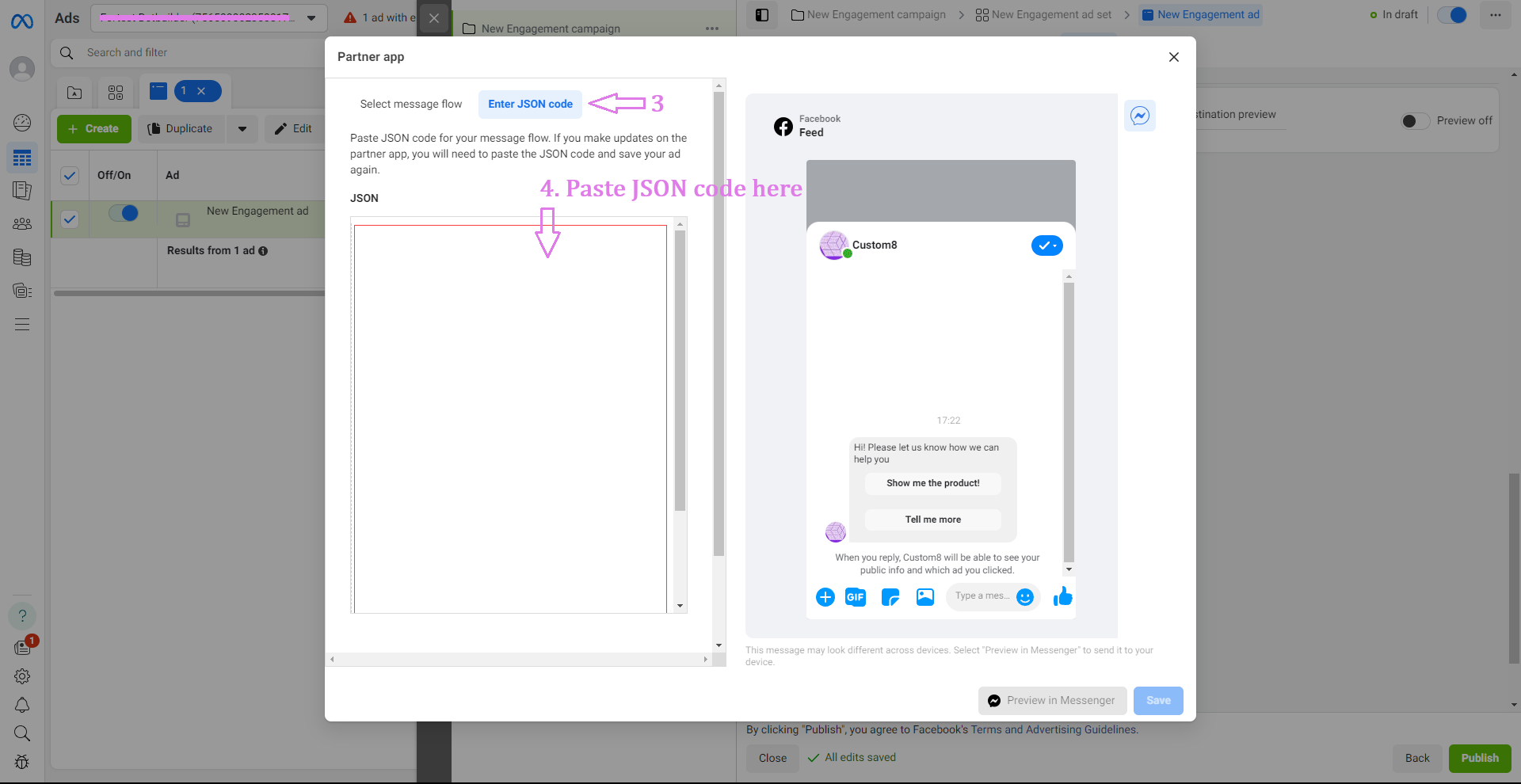
Go to your Ads Manager and create a Click to Message Ad. On the Ad level, go to Message Template > Partner app > Enter JSON Code. REMOVE ALL the placeholder code, then paste the one from your flow, now you can save.
You can learn more about Click to Message Ads at Facebook's Help Center.
Was this article helpful?
That’s Great!
Thank you for your feedback
Sorry! We couldn't be helpful
Thank you for your feedback
Feedback sent
We appreciate your effort and will try to fix the article