The greeting message serves as the initial message visible to your audience when they engage with your Messenger chatbot for the first time.
Refer to the image below for a visual representation.
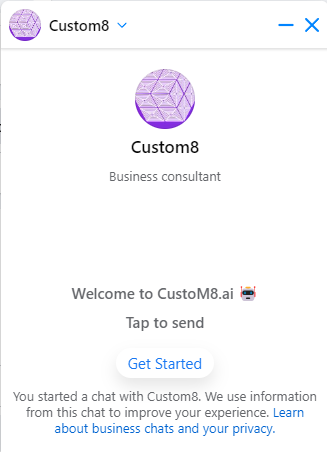 |
Your Messenger chatbot's greeting message acts as a brief business description, displayed to your audience in the image provided. Utilize this feature to convert visitors into subscribers and provide a concise overview of your business.
Follow the steps below to set greeting messages in different languages:
Go to Menu > Settings > Channels > Greeting. Click on Edit to customize your greeting message.
This flexibility allows you to tailor greetings to the language preferences of your diverse audience.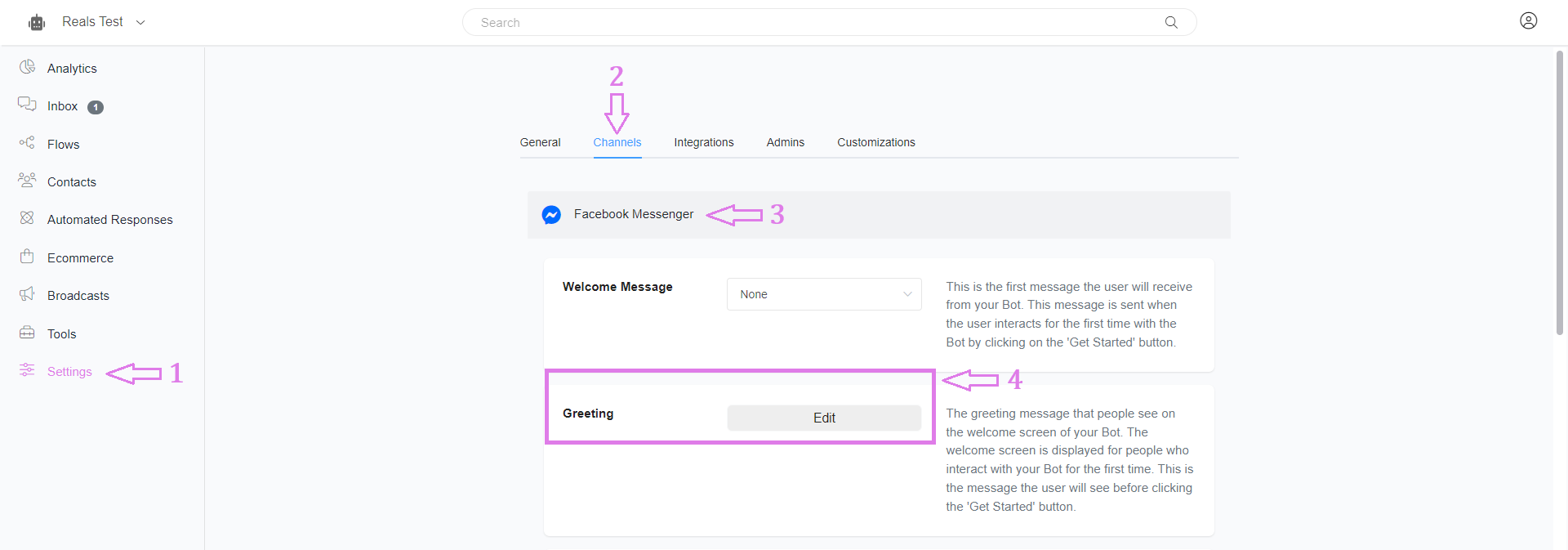
Then, enter your greeting message in the given field and save the process. That’s it.
If you want to use multi-language greeting messages, select “+ Language” drop-down menu and choose the languages as per your requirement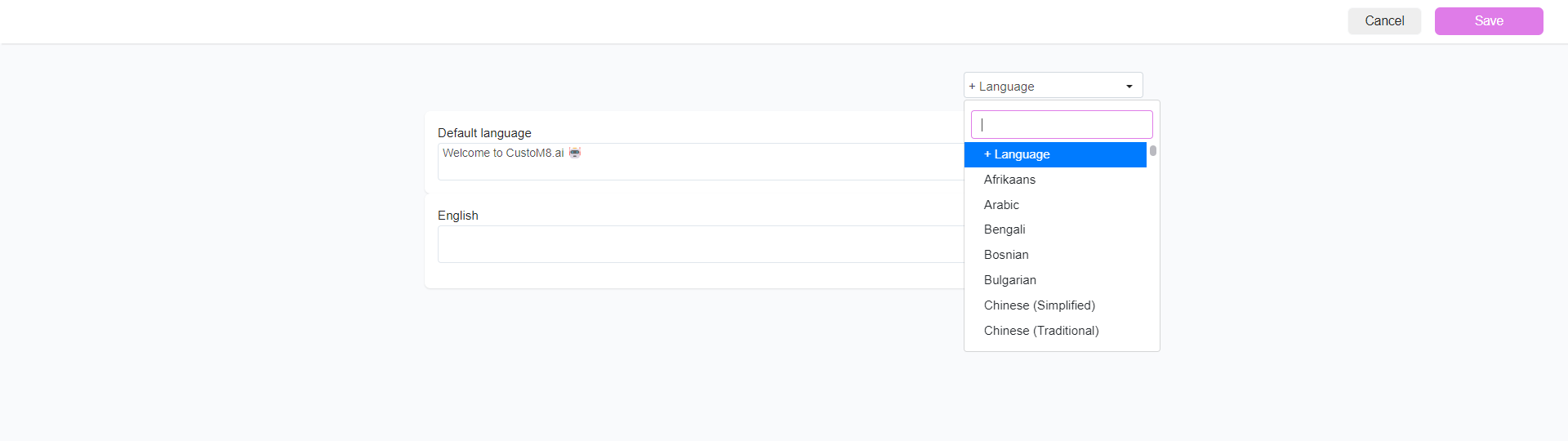
You can create an “n” number of greetings in multiple languages which are supported by Facebook.
Was this article helpful?
That’s Great!
Thank you for your feedback
Sorry! We couldn't be helpful
Thank you for your feedback
Feedback sent
We appreciate your effort and will try to fix the article