CustoM8 allows your business to automate conversations on Telegram by creating a Telegram bot.
Follow the below step-by-step to create and connect your bot to CustoM8.
1 – You will need to chat with the official Telegram BotFather (https://t.me/botfather) to create your bot. Use the /newbot command to create your bot. You can learn more here. After you create your bot, you will receive your bot API token.
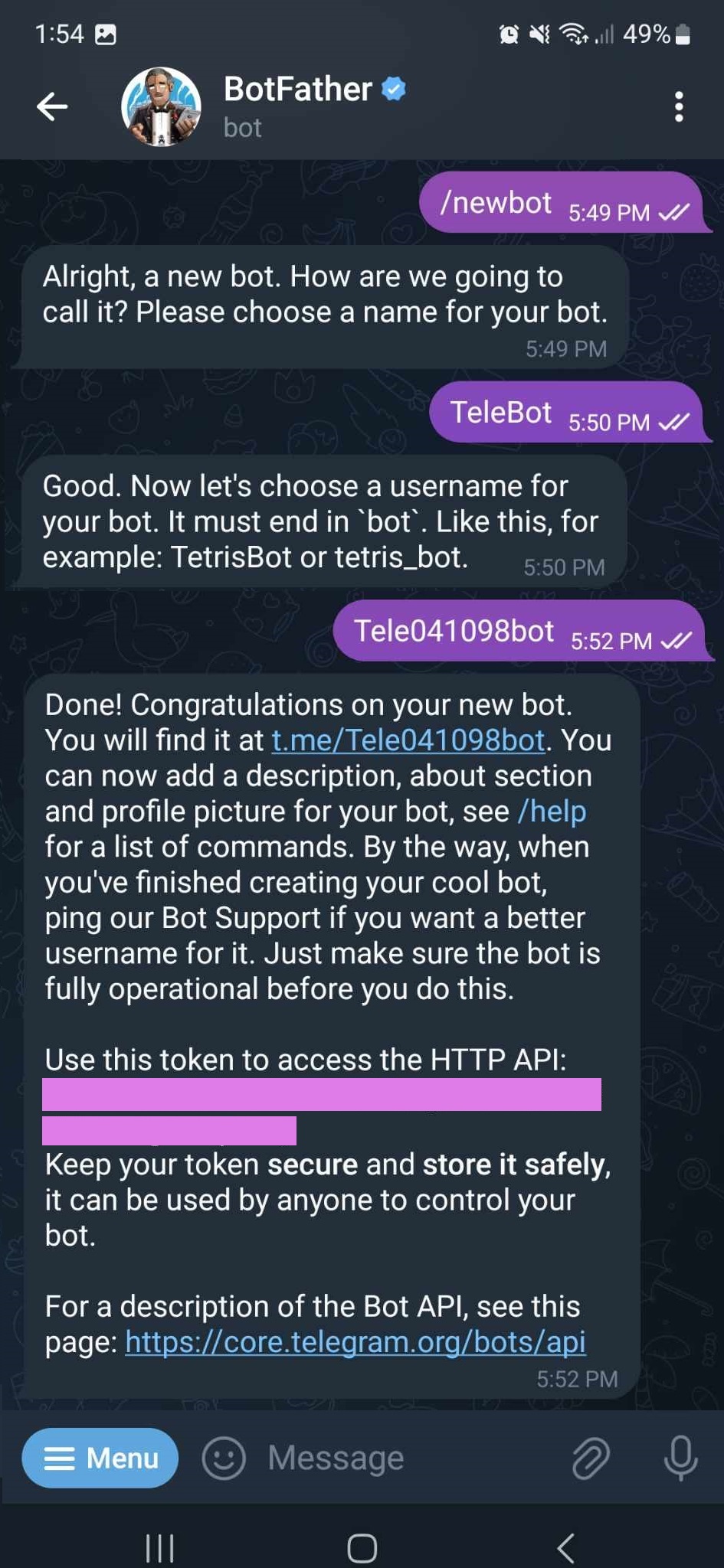
2 – Set up Telegram on CustoM8.
Navigate to Settings > Channels > Telegram. You only need to specify your Telegram bot token and Chatbot Builder will automatically integrate with Telegram and your bot is ready to respond to users.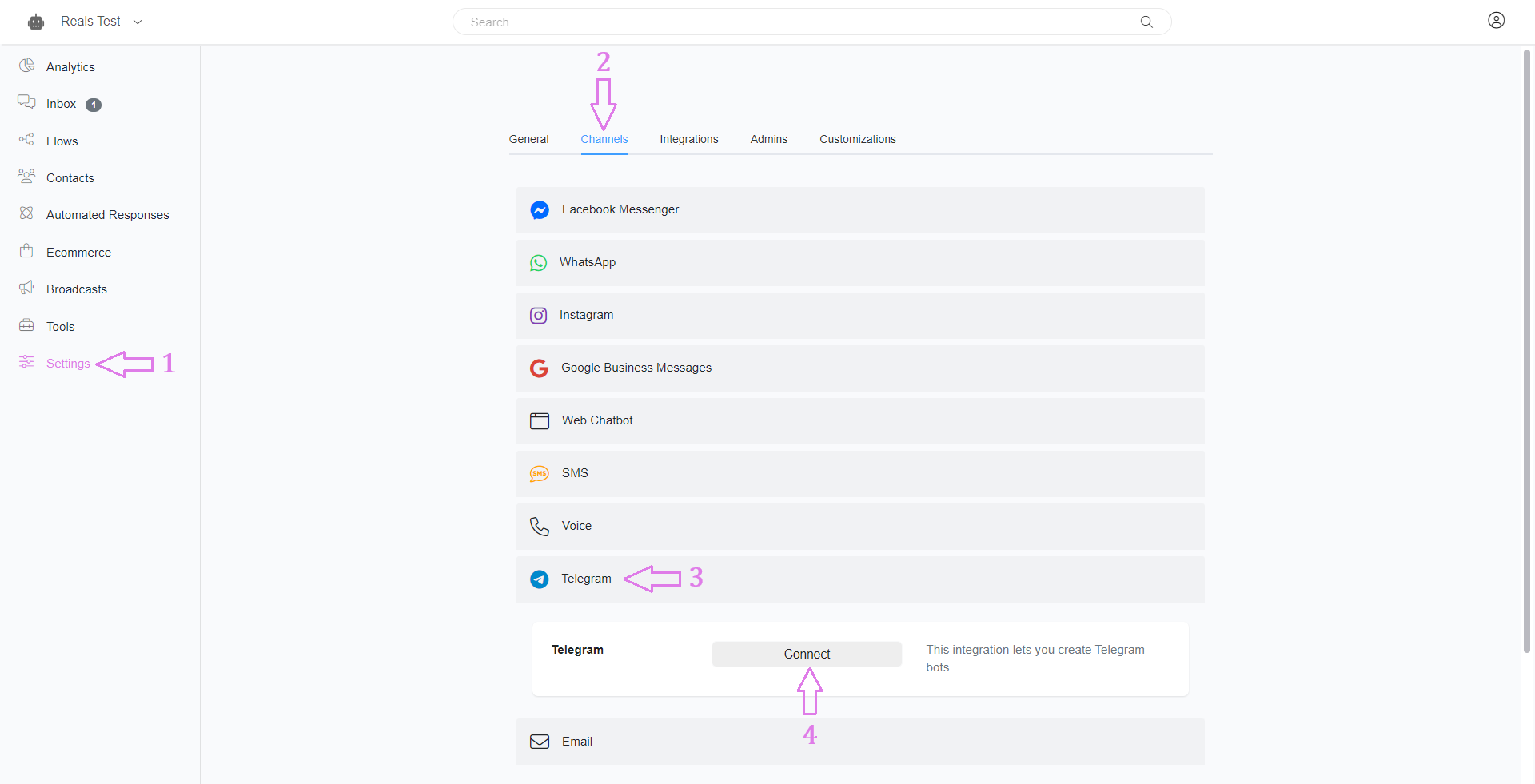

3 – On the flow builder, you will use Telegram or Omnichannel as a message type. We recommend that you use Omnichannel whenever possible.
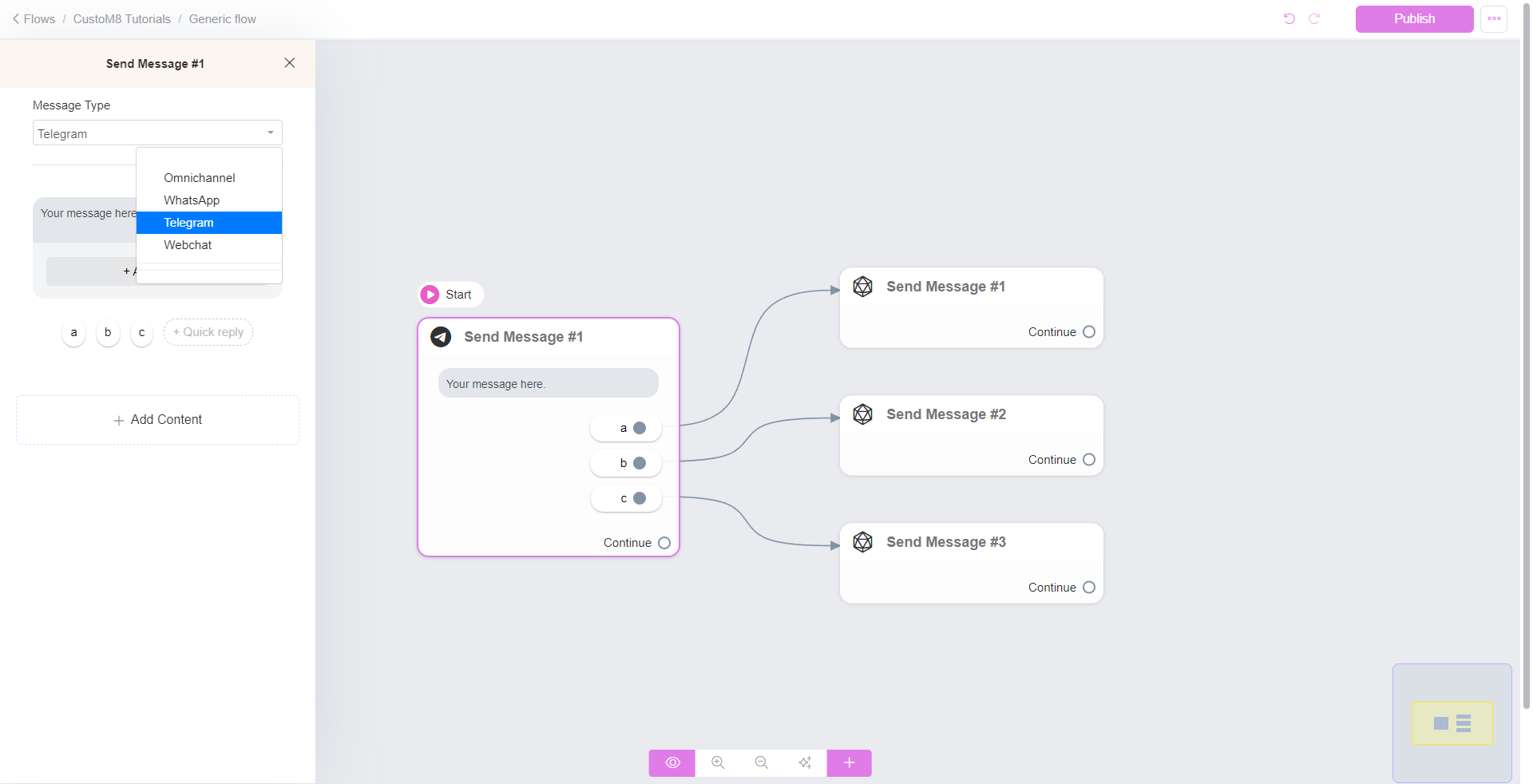
To test your flow, create a training phrase like “test” on Keywords that triggers your Telegram flow.
Was this article helpful?
That’s Great!
Thank you for your feedback
Sorry! We couldn't be helpful
Thank you for your feedback
Feedback sent
We appreciate your effort and will try to fix the article