To connect to your own OpenAI API Key, go to platform.openai.com and log in with your account.
In your dashboard, select API keys.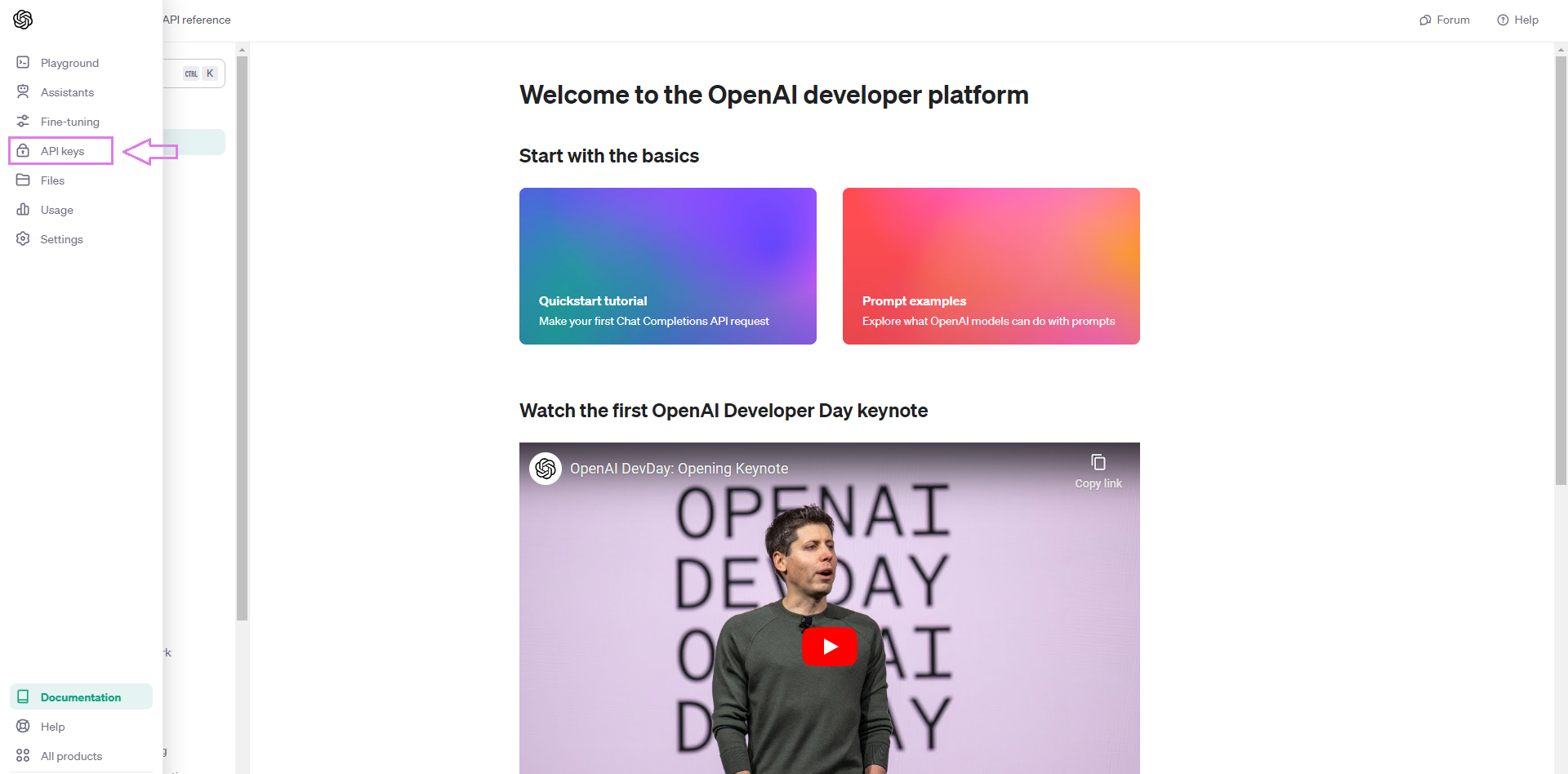
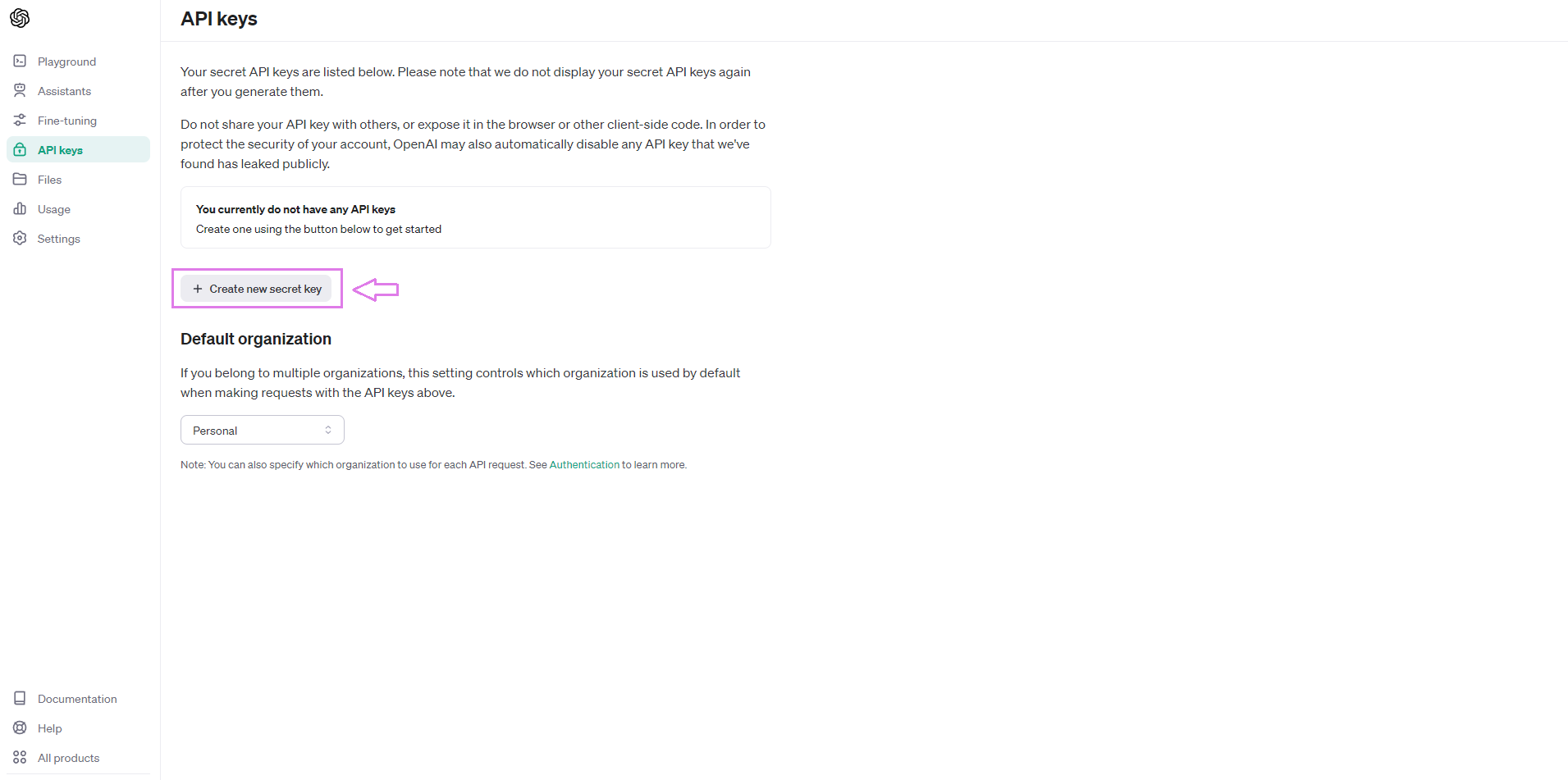
Here you're going to Create a new secret key. Give it a name and copy your Key.
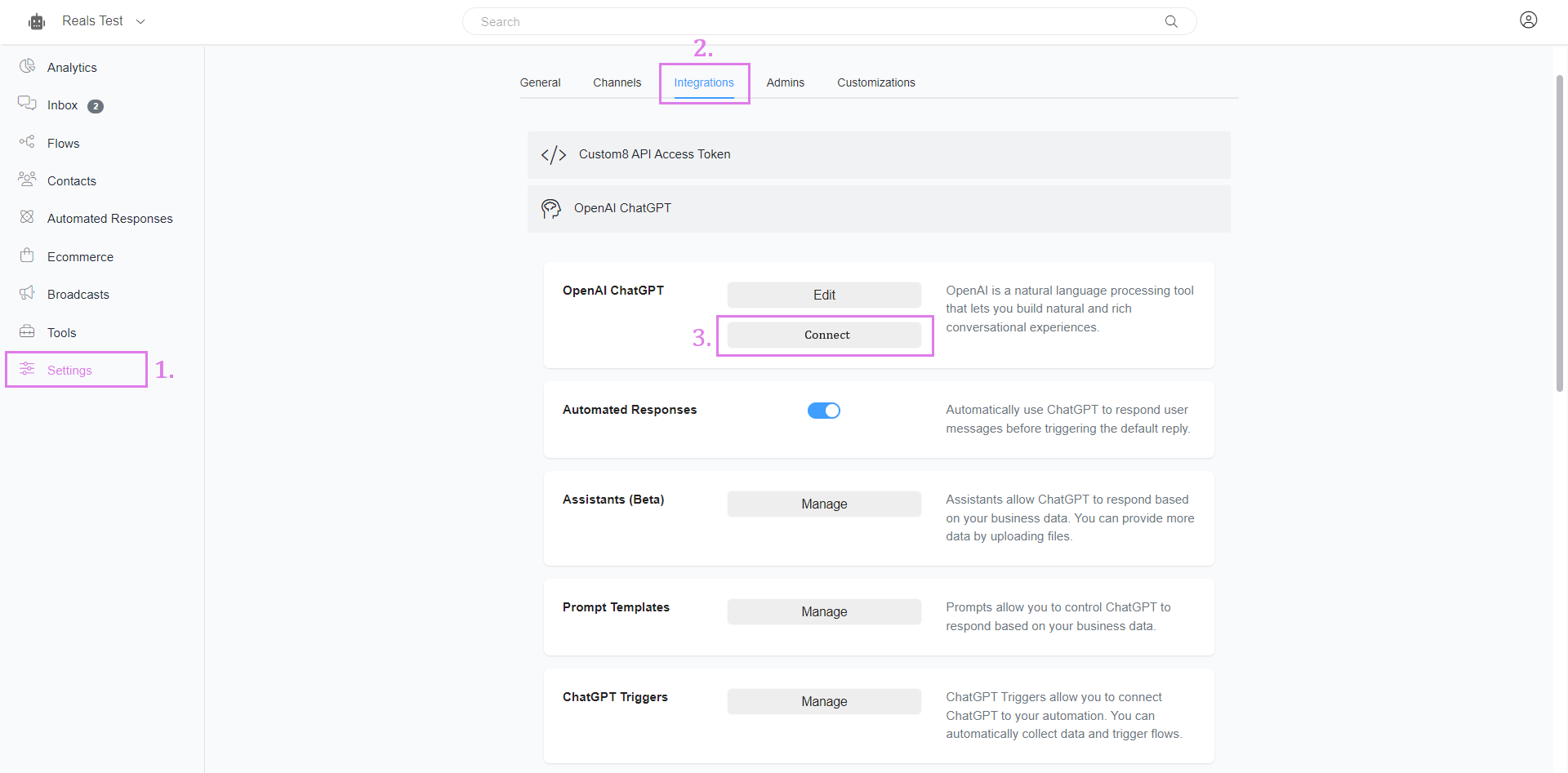
Go back to your CustoM8 account. Go to Settings > Integrations > OpenAI. Click Connect and paste in your API key.
If you want your bot to just provide your basic business information to your customers, this is the easiest place to do it.
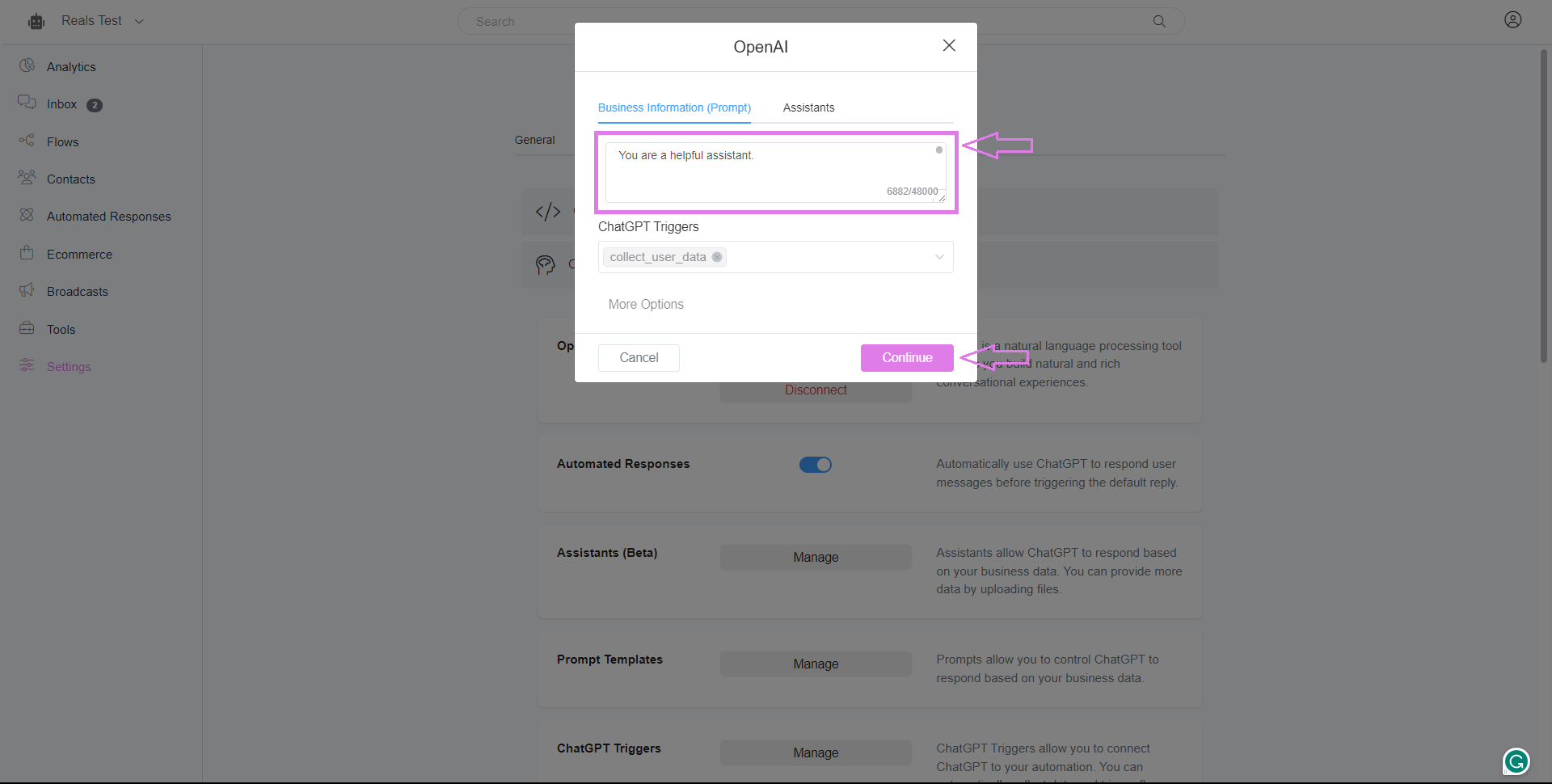
Go to Settings > Integrations > OpenAI. Then click Edit. Put all your information in the Business Information (Prompt) section and click Continue. Make sure as well that the 'Automated Response' is turned on.
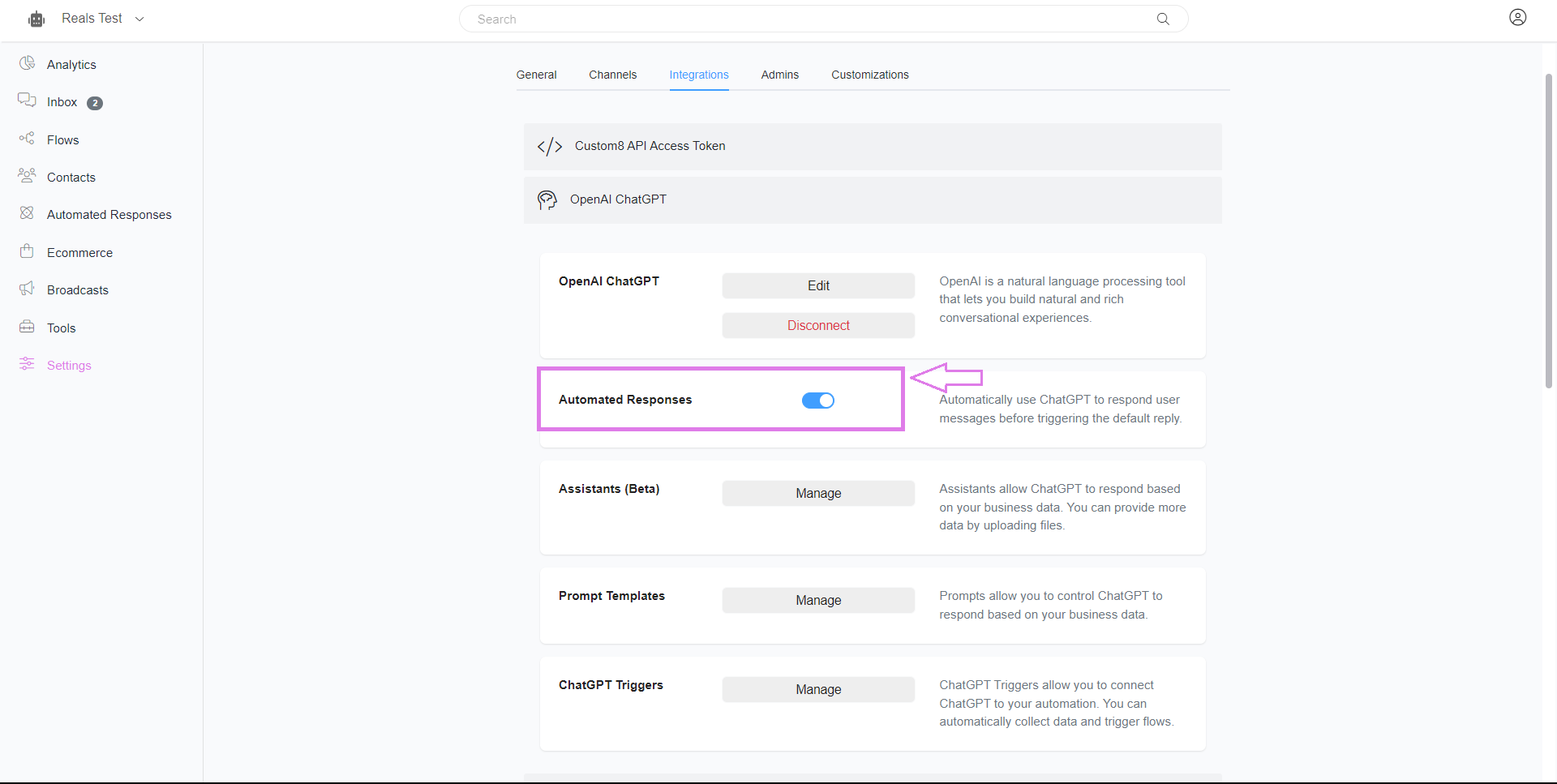
You can now test your chatbot in any channel your chatbot is connected to.
To test it in webchat, go to Settings > Channels > Web Chatbot, then click Manage. You can customize your web chatbot. Once done, choose Get Link.
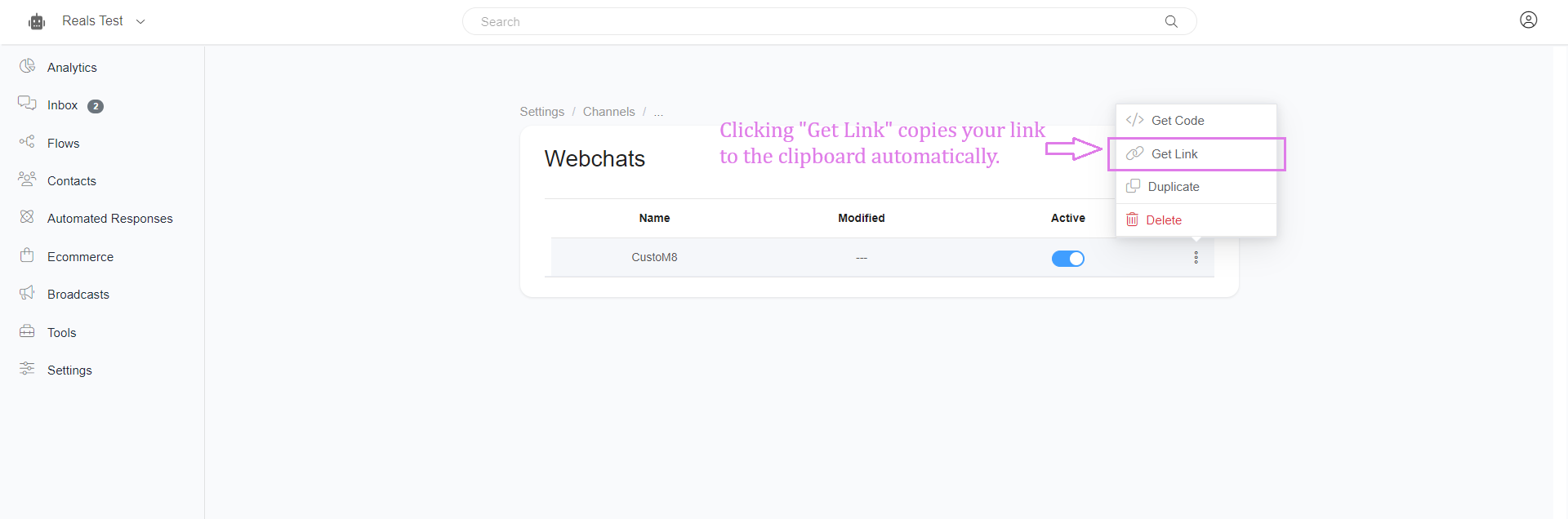
Paste the copied URL into your browser and you can now test your chatbot.
Was this article helpful?
That’s Great!
Thank you for your feedback
Sorry! We couldn't be helpful
Thank you for your feedback
Feedback sent
We appreciate your effort and will try to fix the article