The 'Import Contact' tool is a super helpful tool that lets you bring in contacts to your CustoM8 account really easily. You can use it to add contacts from WhatsApp, SMS, and even from other chatbot platforms.
First, go to Import Contact, go to the ‘Contact’ section, and click on Action > Import Contacts.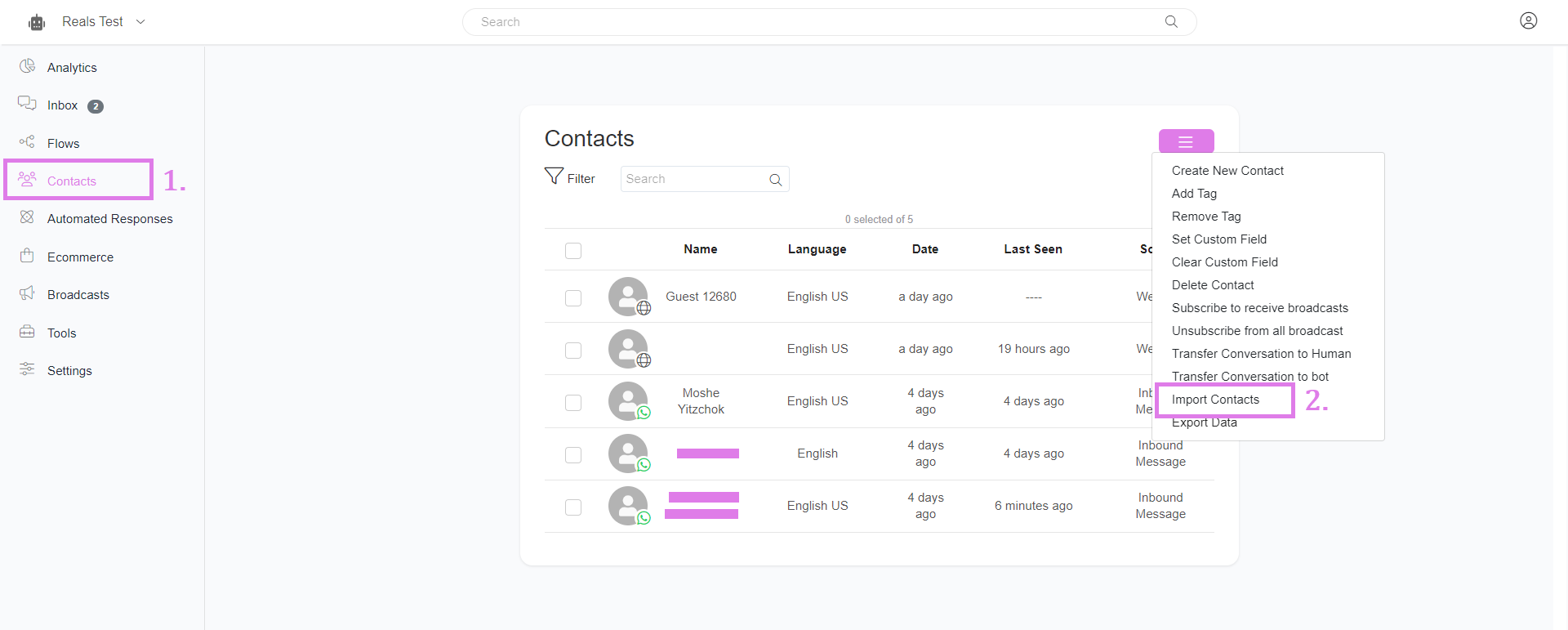
Import contacts from other chatbot platforms
To import contacts from Manychat, Select Manychat on the source option.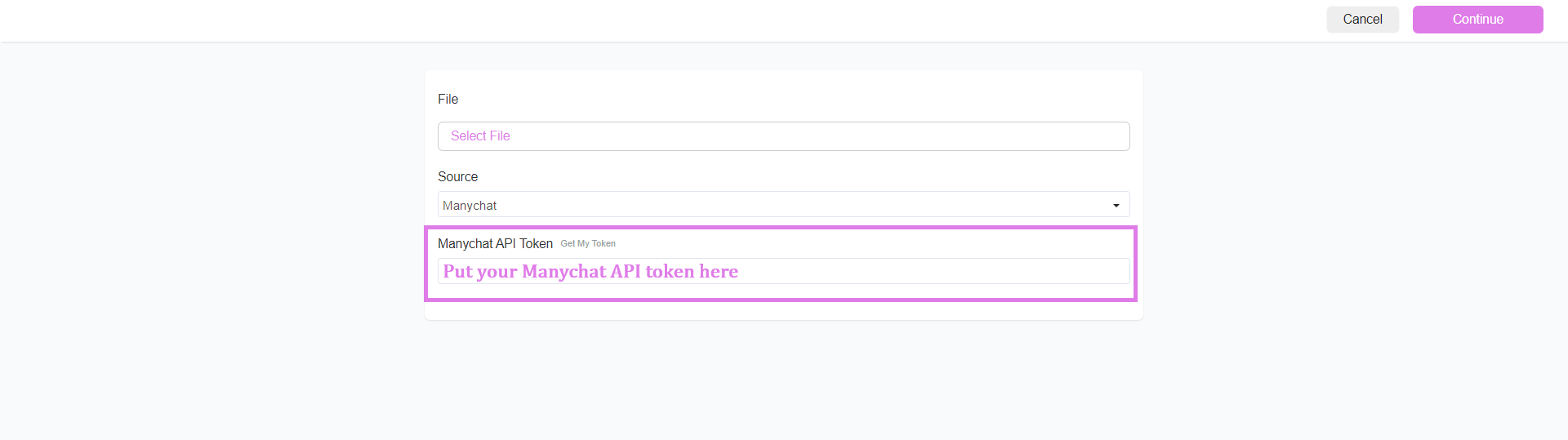
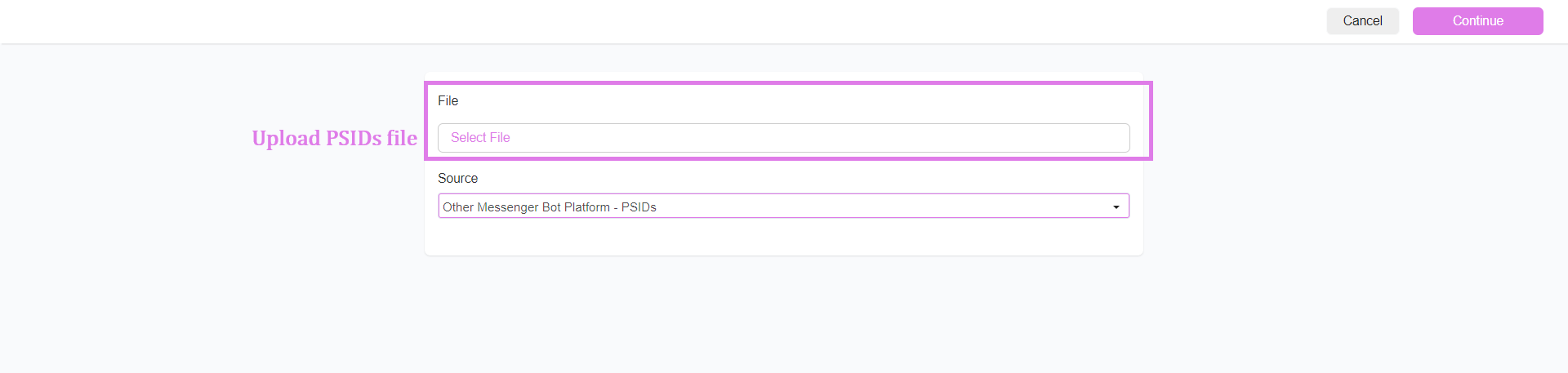
If you want to bring in contacts from chatbot platforms that aren't Manychat, choose "Other messenger bot platform" as the source and upload the PSIDs.
Import WhatsApp and SMS contacts.
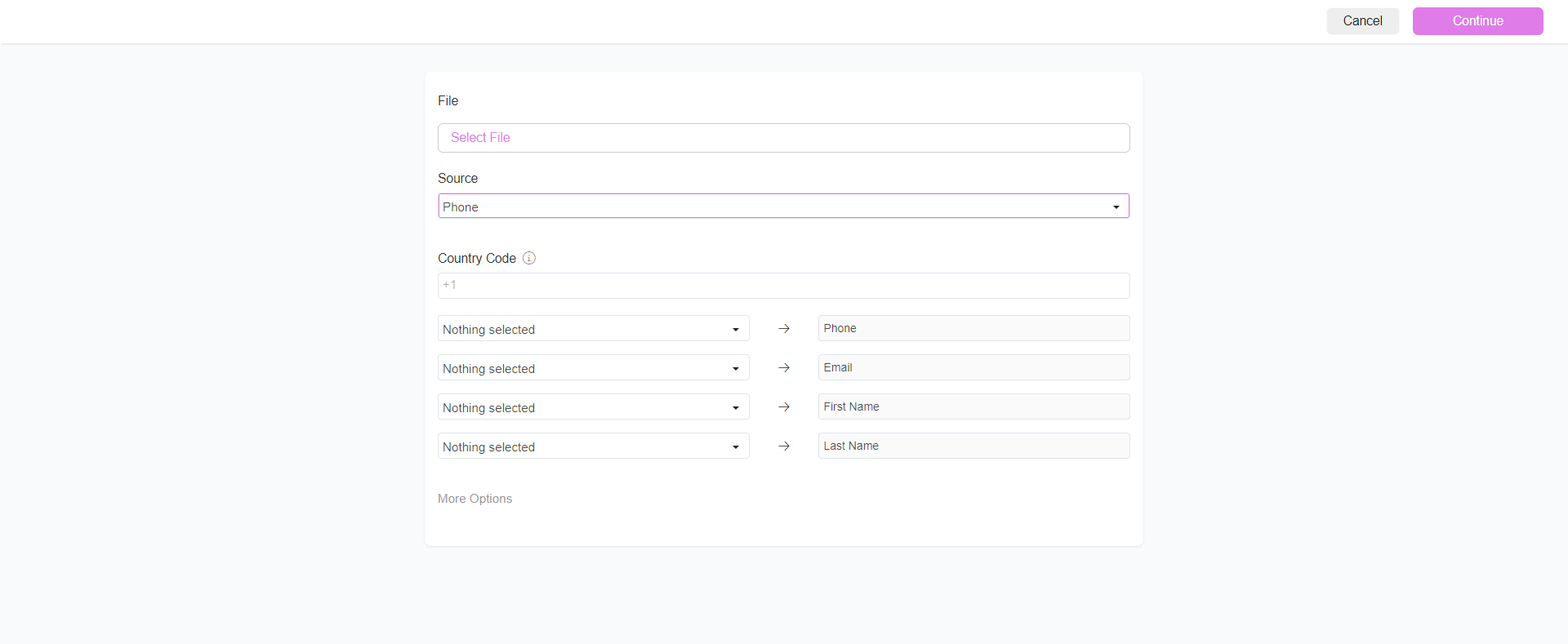
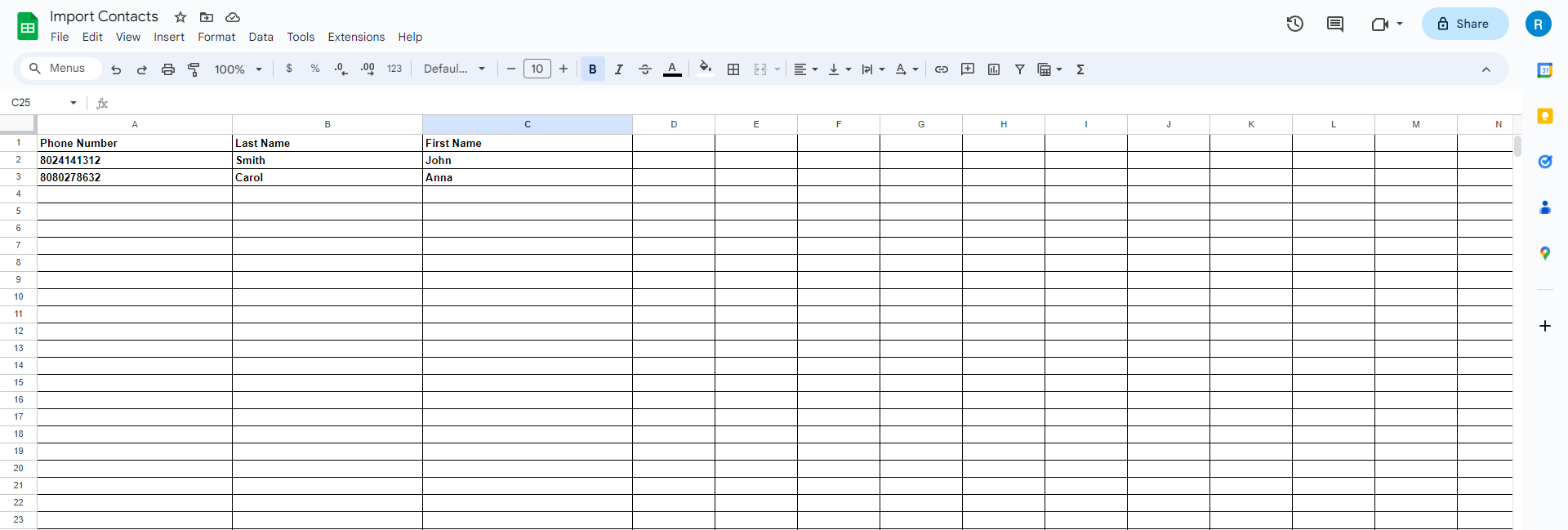
If you want to add WhatsApp or SMS contacts, pick "WhatsApp contacts" or "Phone" (for SMS). Put in the country code, and upload a .csv or .xlsx file. If you choose 'More Options,' you can set a custom field or add a tag to the contacts.
Was this article helpful?
That’s Great!
Thank you for your feedback
Sorry! We couldn't be helpful
Thank you for your feedback
Feedback sent
We appreciate your effort and will try to fix the article